
How customers agree to texts from KnoqKnoq
Last updated: September 29, 2026
KnoqKnoq, operated by Trusspoint Technologies, LLC, is invoicing software for contractors and home-service businesses. This page shows how a business's customer agrees to get texts from KnoqKnoq, and how KnoqKnoq makes sure no one is texted without agreeing.
Who sends the texts
KnoqKnoq sends every text, on behalf of the business named in it. Each text starts with "KnoqKnoq:" and says which business the invoice is from, so the customer always knows who the text is about.
What is sent
Only texts about work the customer hired the business for: a link to view and pay an invoice, a receipt when a payment is received, and reminders about an invoice that is still unpaid. The texts are transactional. KnoqKnoq never sends marketing or promotional texts.
How a customer agrees
Customers agree out loud. The customer gives the business their mobile number when they book the job or while the work is being done, in person or on the phone. Before KnoqKnoq sends anything, the business asks:
“Can KnoqKnoq text you about this invoice and payment reminders? Message frequency varies. Msg & data rates may apply. Reply STOP to opt out, HELP for help.”
If the customer says yes, the business records it in KnoqKnoq for that customer's number. If the customer says no, the business leaves it off and KnoqKnoq doesn't text them. Invoices can still go by email.
Where the business records it
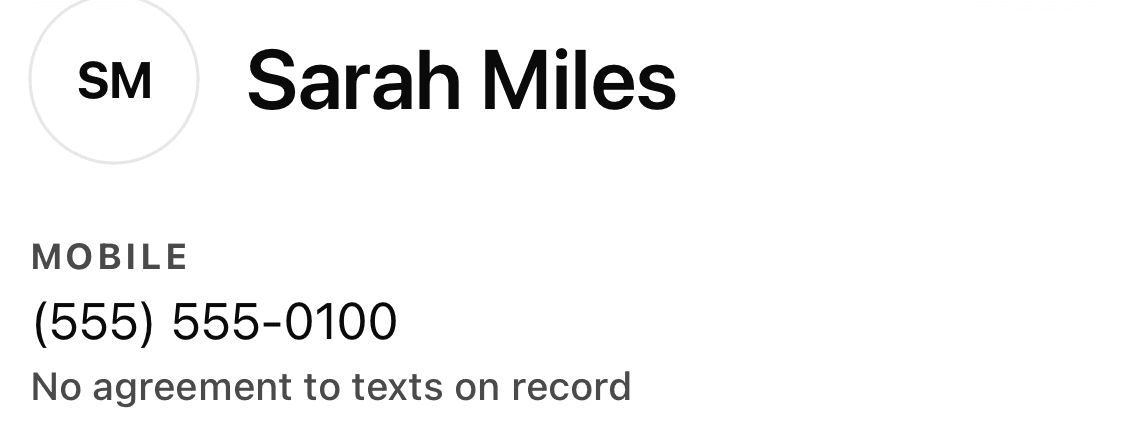
In the KnoqKnoq iPhone app, a customer's profile has a switch that is off until the business turns it on:
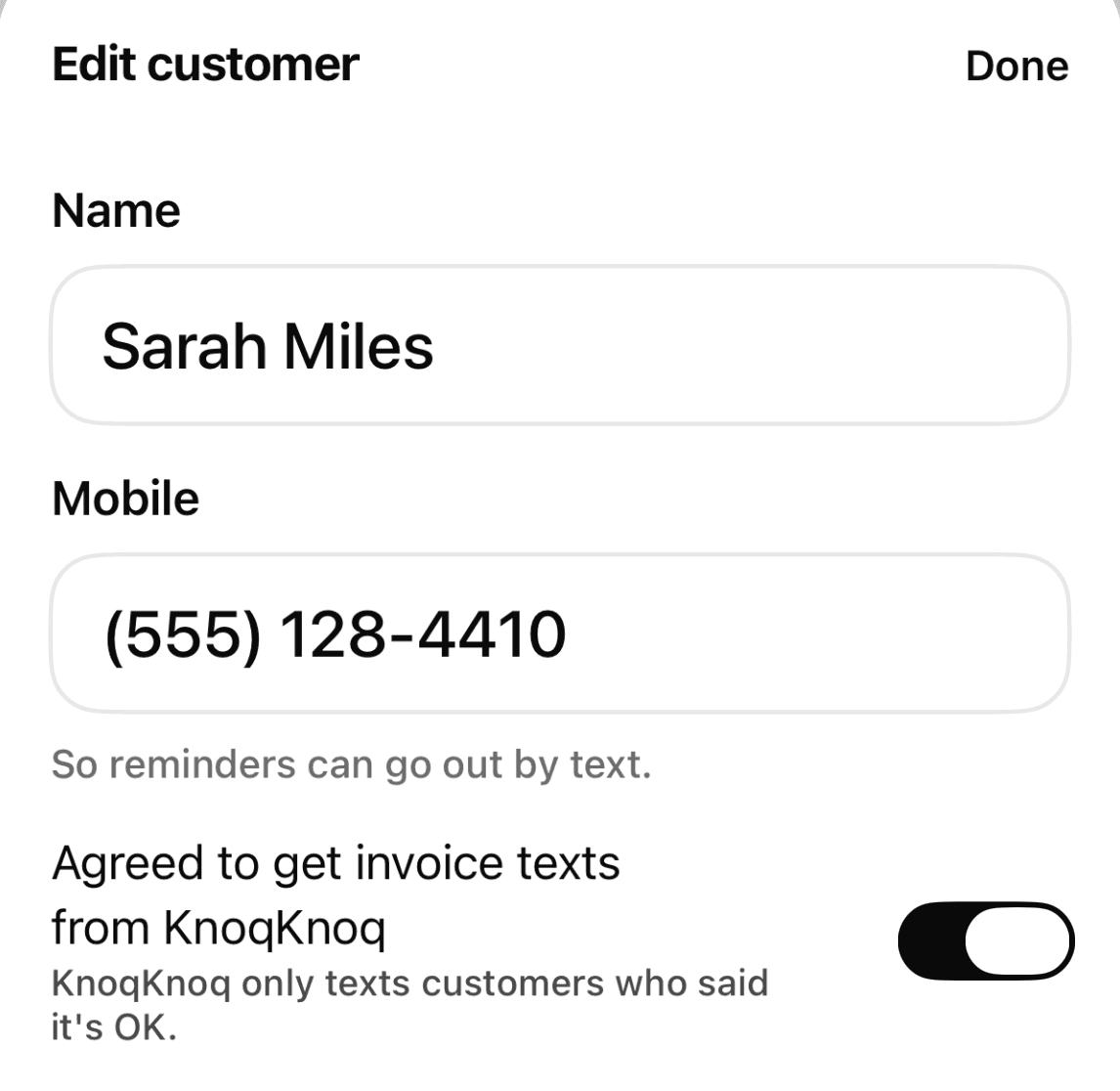
The first time a business texts an invoice to a customer who has no agreement on record, KnoqKnoq stops and asks the business first:
Did Dana agree to texts from KnoqKnoq? KnoqKnoq only texts customers who said it's OK. Confirming records it for their number.Buttons: “Dana agreed to get invoice texts from KnoqKnoq”, “Email it instead” (when the customer has an email address) and “Cancel”.
On the KnoqKnoq website, the New customer form has the same checkbox, unchecked by default: “This customer agreed to get invoice texts from KnoqKnoq.”
No record, no texts
KnoqKnoq saves each confirmation with the date, the time and the phone number it was given for. Without one, KnoqKnoq refuses to send the invoice text, and it skips reminder and receipt texts to that number. Customers added by importing a contact list never have an agreement on record until the business confirms one.
The first text the customer gets
The first text is the invoice the customer agreed to hear about. It ends by saying rates may apply and how to get help:
KnoqKnoq: Kelly HVAC sent you invoice #1042 for $450.00. View and pay: https://app.knoqknoq.com/i/Ab3xYz Reply STOP to opt out. Msg & data rates may apply. Reply HELP for help.
Later texts, such as receipts and reminders, look like this:
KnoqKnoq: Kelly HVAC received your payment of $450.00 for invoice #1042. Receipt: https://app.knoqknoq.com/i/Ab3xYz Reply STOP to opt out.
KnoqKnoq: Hi Dana, a reminder on behalf of Kyle at Kelly HVAC: invoice #1042 for $450.00 is due today. View and pay: https://app.knoqknoq.com/i/Ab3xYz Reply STOP to opt out.
How often, and what it costs
Message frequency varies with the customer's invoices, usually a few texts per invoice. Message and data rates may apply.
STOP and HELP
Replying STOP (or UNSUBSCRIBE, CANCEL, END, QUIT, OPTOUT, STOPALL, or REVOKE) to any text stops all KnoqKnoq texts to that number, from every business. The customer gets one confirmation and nothing after it:
KnoqKnoq: You're unsubscribed and won't get more texts from any business using KnoqKnoq. Reply START to resubscribe. Help: support@knoqknoq.com
Replying HELP (or INFO) gets:
KnoqKnoq: invoice texts for businesses you've hired. Msg frequency varies. Msg & data rates may apply. Reply STOP to opt out. Help: support@knoqknoq.com
More
SMS Terms · Terms of Service · Privacy Policy
Questions: support@knoqknoq.com